Dock photos and condition
Photo every carton before it goes on the rack.
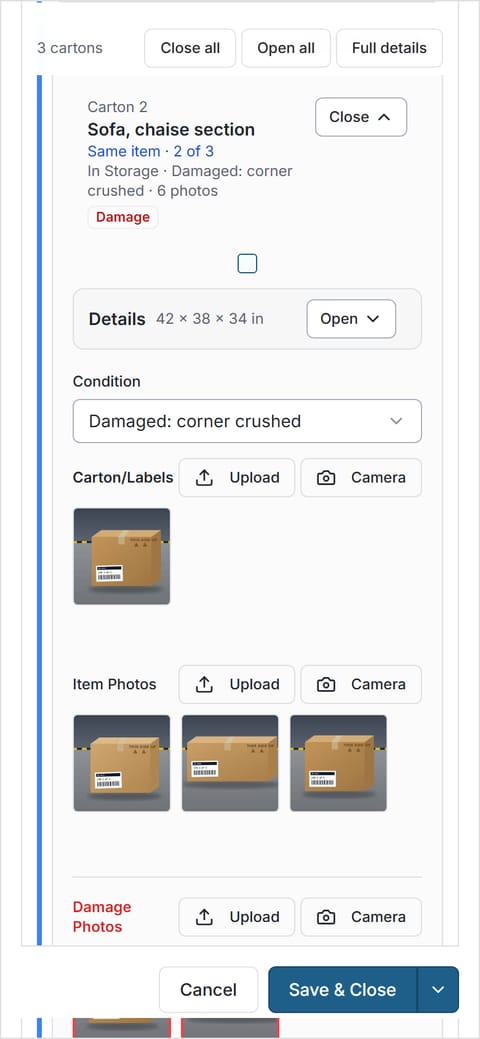
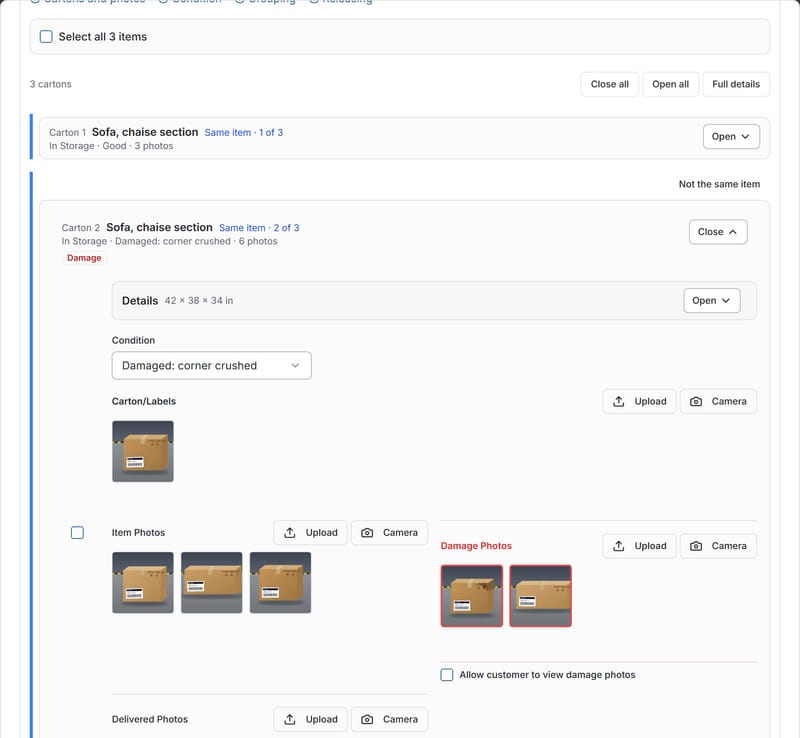
Photos are taken in the phone's browser and saved straight to the carton. The activity log records who added them and when, so the record is there when a customer, vendor or carrier asks.
14 days of Growth free · No card · Then the Free plan, never a locked screen
A photo rule your crew can't skip.
Set a minimum number of photos per carton, anywhere from 0 to 20. A carton that is short of photos shows up in the needs-attention list until someone adds them, so the gap is visible, not buried.
- Photos taken with the phone's own camera, in the browser
- Several photos per carton, kept on the carton they belong to
- Who added each photo, and when, in the activity log
Condition from your own list.
Record condition from the list you set: "Good", "Damaged", "Needs minor repair", or your own words. Marking a carton "Needs minor repair" raises a flag in the queue. Turn damage reporting on and damage photos wait for someone to review them.
- Measurements and weight on each carton
- Multi-carton pieces grouped as "carton 2 of 3"
- Measurements can be required before a carton is saved
Proof on file, inside the window.
Many carriers want concealed damage reported within days of delivery. With photos, condition and the time on the carton record, the documentation is already there when you need to report it. Rules vary by carrier, so check your carrier's terms. Our concealed damage guide has the details.
Your customer sees the photos in their own customer portal as soon as the carton is received, and unreviewed damage waits in the needs-attention list.
Dock photo questions
Do my crew need to install an app?
No. CartonLedger runs in the phone's web browser and uses its camera. There's no App Store app yet.
Can I make photos required?
Yes. Set a minimum number of photos per carton (0 to 20) in Settings > Receiving. Cartons below it show as missing photos in the needs-attention list.
Can customers see damage photos?
You decide: damage photos can always be shown, never be shown, or be decided per item.
Does it scan barcodes?
Only a little. Pro includes a barcode lookup page and printable carton labels; there are no scanning workflows. CartonLedger is built around photos and condition first.
Photograph your next delivery.
Set your photo rule once, then let the crew follow it on any phone.
14 days of Growth free · No card · Then the Free plan, never a locked screen