Needs attention
See what still needs doing, without walking the floor.
One list shows every open item, across every order. Clear an item and CartonLedger remembers who cleared it and when. If something new happens, it comes back.
14 days of Growth free · No card · Then the Free plan, never a locked screen
Six reasons an order shows up.
- Missing photos: a carton has fewer photos than your minimum.
- Damage not reviewed: a damage photo nobody has looked at yet.
- Needs minor repair: a carton marked with that condition.
- Comment unanswered: a customer comment waiting for a reply.
- Delivery requested: a customer asked for delivery.
- Storage deadline: free storage days running out (with the storage-deadline module on).
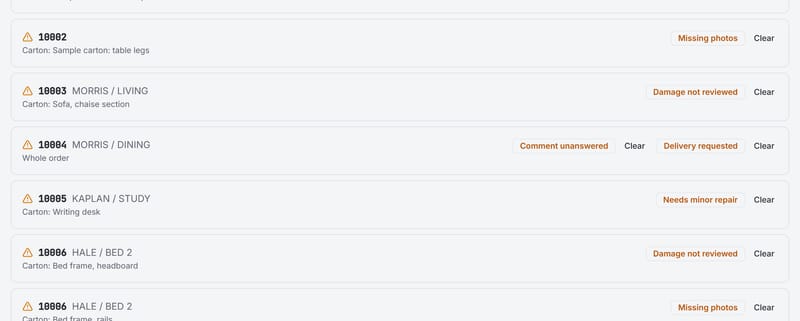
Cleared means cleared, until something changes.
Staff clear an item when it's dealt with. The record keeps who cleared it and when. A new comment or a new damage photo after that brings the item back, so "seen" never hides something that happened afterwards.
The flags follow your settings: no photo rule, no missing-photo flag; damage reporting off, no damage flag. Read how in settings.
Stop walking the floor to find out.
14 days of Growth free · No card · Then the Free plan, never a locked screen