Settings
Set it up the way your dock already works.
No two receiving warehouses use the same words or the same paperwork. So you set CartonLedger to match yours, and your crew doesn't have to learn someone else's system.
14 days of Growth free · No card · Then the Free plan, never a locked screen
What you can set
- Your words
- Call them customers, clients or accounts; orders or jobs; cartons or pieces
- Your fields
- Show, hide or require vendor, carrier, PO, BOL/PRO, customer, sidemark, received-by and notes (Growth and above)
- Your rules
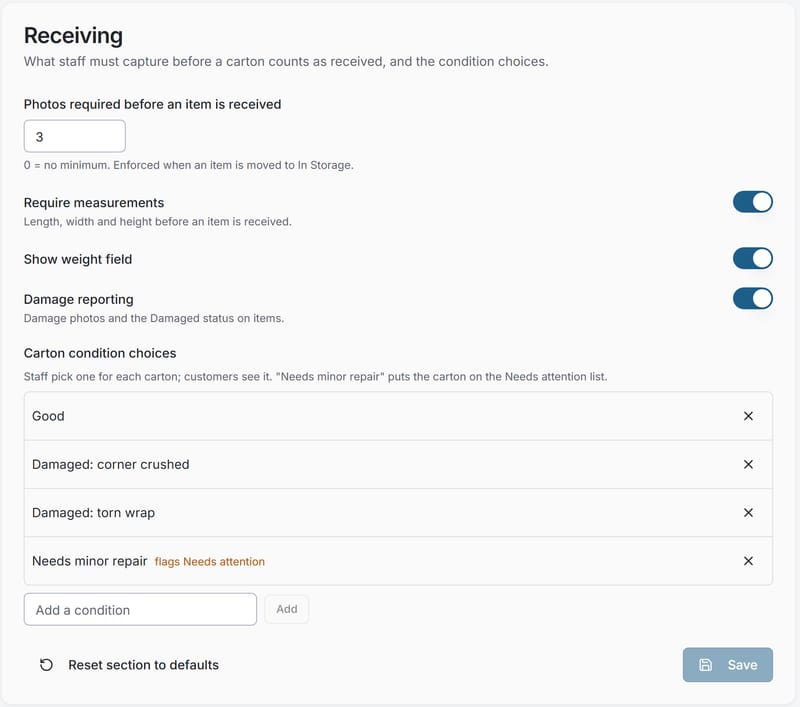
- A minimum number of photos per carton (0 to 20); measurements required or not; damage reporting on or off
- Your conditions
- Your own list of condition choices
- Your modules
- Deliveries, delivery photos and storage-deadline reminders, on when you need them (Starter and above)
- Your brand
- Your logo and colour on the portal, and emails from your own address (Starter and above)
Settings > Receiving
The receiving rules apply on every phone at once: change the minimum photos or require measurements and the next carton follows the new rule.
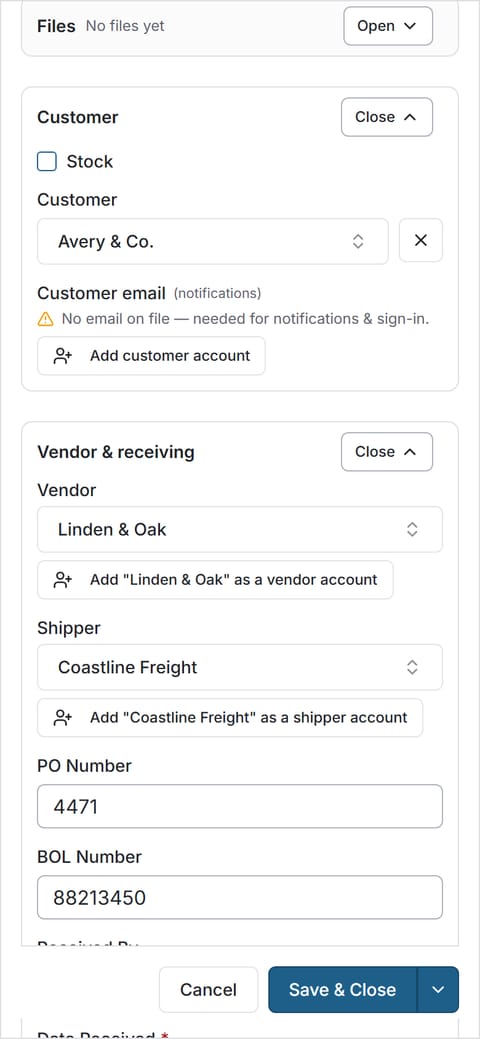
Only the fields you use.
Hidden fields stay out of the way on the phone. Required fields must be filled before an order is saved. You can change any of it later; nothing is fixed at sign-up.
Set it up your way, then try a real delivery.
14 days of Growth free · No card · Then the Free plan, never a locked screen